


EVgo Fast EV Charging Stations
4.63.22K Reviews
App Specs
- Version
- 26.10.0
- Updated On
- License
- Free
- Downloads
- 1,000,000+
- Developer
- EVgo
- Categories
- Auto & Vehicles
- Platform
- Android, iOS
Screenshots
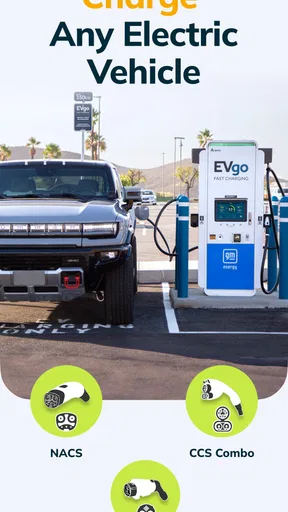
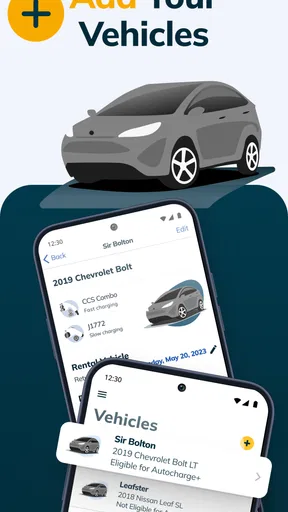
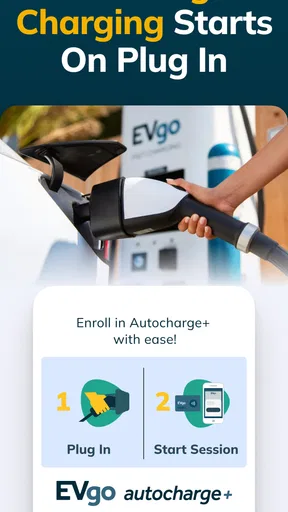
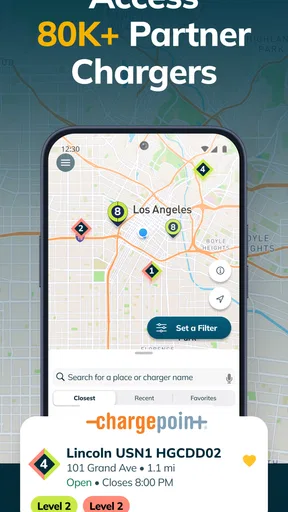
 Analysis by AppCompare
My first reason for opening EVgo Fast EV Charging Stations is usually practical: I’m planning a drive, my battery is getting low, or I want to know whether a fast-charging stop can fit into the route. This free Auto & Vehicles app from EVgo is built around finding its network’s chargers, rather than acting as a universal guide to every charging option. That distinction matters. I’d treat it as a focused tool for EVgo stops, then compare other networks separately when a trip depends on having several alternatives.
Start with the route, not just the nearest pin
The easiest way to make a charging app useful is to check it before the battery becomes urgent. I’d open the map while planning a trip, look for EVgo locations that make sense along the route, and consider whether there’s a backup stop nearby. The nearest station is not automatically the best one: a charger can be close to your current location but send you away from the direction you need to travel. Thinking in terms of the next leg, rather than distance alone, makes the map more useful.
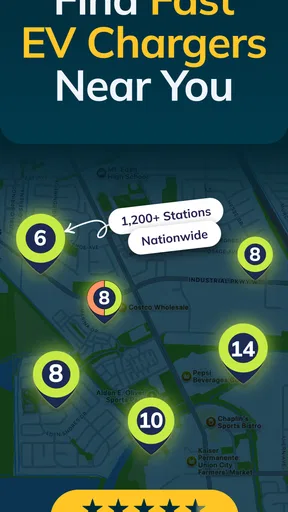
EVgo’s store summary points to a network of over 1,100 fast-charging stations. That gives the app a clear purpose, but it doesn’t mean an EVgo charger will be convenient on every route. Before setting off, I’d check the actual locations around the places I plan to visit. A driver who mainly charges at home and only needs a public stop now and then may use the app occasionally; someone whose regular journeys pass EVgo stations has a more obvious reason to keep it close at hand.
Finding a station
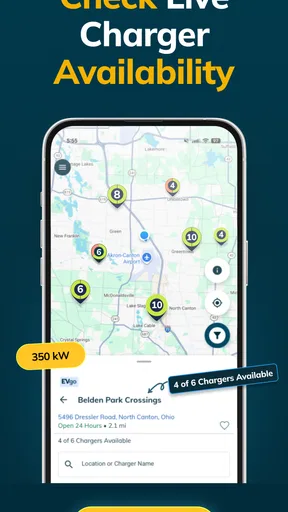
Let’s talk about the core feature: finding a charging station. The app uses your location to pinpoint the nearest EVgo stations. It’s incredibly accurate, and the map view is clear and easy to interpret. I could even filter stations based on availability and charging speed, which is a neat touch when you're in a hurry. It's like having a personal EV assistant in your pocket.
A useful habit is to check more than one candidate before committing. If the first location looks busy or does not fit the route, a second option can save a frustrating detour. I’d also treat a map result as the start of the decision, not the whole decision: confirm the station details in the app, think about access from the road, and keep enough charge to reach another option if plans change. That small buffer is especially valuable when you’re travelling somewhere unfamiliar.
This is where EVgo differs from relying only on a general map app. A regular navigation tool is convenient for getting directions and viewing nearby places, while a charging-focused app is better suited to narrowing the search to charging locations and considering charging-related details. The trade-off is network coverage: EVgo is most useful when its stations suit your route. If you need to compare several charging providers in one view, a broader charging map may be a better planning companion, even if you still use EVgo when you choose one of its sites.
Getting Started with EVgo
First things first, downloading the EVgo Fast EV Charging Stations app is a breeze. Available on both Android and iOS, I found it on the respective app stores with a simple search. Once installed, the app welcomed me with a sleek and intuitive interface, making navigation feel as smooth as a well-oiled machine.
Worth Reading Before You Choose

EA SPORTS FC Mobile 26 Is a Bigger Football Game, but It Takes Time

Flipboard Shows What News Apps Must Do Beyond the Feed

Switching to Android Auto Means Rethinking Your Driving Routine

Google Calendar Makes a Crowded Week Easier to Manage

Ludo King Makes the Most of the Minutes Between Plans

Baby Panda World Brings Quick Play to Modern Phones, but Its Game Library Feels Busy
Charging Made Simple
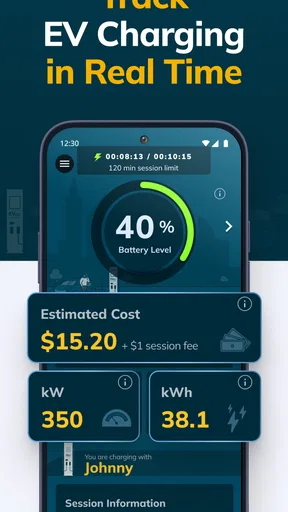
Once you arrive at a station, the app offers seamless integration with the charging process. You can start and stop charging sessions directly through the app, which saves you the hassle of swiping cards or dealing with other tedious methods. I personally loved the real-time updates on charging status and cost estimation—it’s almost like the app is whispering sweet updates in your ear.
For a smoother handoff from route planning to the charger, I’d check the station information before pulling in, then follow the app’s prompts once I’m parked at the right unit. That keeps navigation, selecting a charger, and beginning a session from becoming one rushed task. If the screen or charger doesn’t match what I expected, I’d pause and verify the selection rather than starting a session on guesswork. The app can support the charging process, but the driver still needs to make sure the physical charger and the one selected on the phone correspond.
A realistic example is a grocery stop on the way home. I could check for an EVgo station near the route, decide whether the stop is worth the detour, and then use the app to manage the session while I’m parked. If I’m only stopping briefly, the estimated cost and live status can help me make a more informed decision about when to return to the car. For a longer trip, I’d be more cautious: charging needs can vary with the vehicle and circumstances, so I wouldn’t treat an app estimate as a promise of an exact finish time or final cost.
Membership Perks
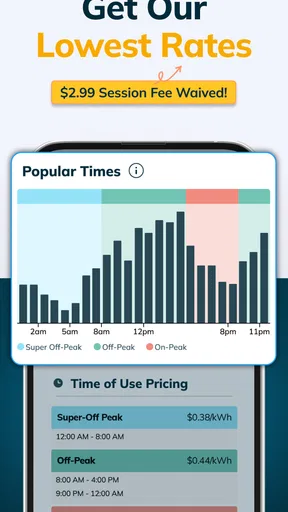
Now, here’s a cherry on top that I found quite appealing: the membership options. With several plans available, from pay-as-you-go to subscription-based models, you can tailor your charging experience to fit your lifestyle. For heavy users, the subscription plans can lead to significant savings. It's like having a VIP pass to the fast lane of EV charging.
I’d compare a plan with my actual routine before choosing one. A subscription only makes sense if the charging pattern and terms work for you; occasional public charging may be better served by paying as you go. Since travel habits can change, I’d revisit the choice when my commute or regular routes change rather than assume the same plan will always suit me. The app is useful here as a place to manage the EVgo side of charging, but it is not a reason on its own to charge more often or make a particular stop.
Where the workflow can snag
The main limitation is that a network-specific app cannot solve a coverage problem. If EVgo stations are sparse around your home, workplace, or planned route, the map may not offer a convenient answer, no matter how easy it is to use. In that situation I’d rely on a broader charging directory or another provider’s app to compare options, and keep EVgo for journeys where its locations fit naturally.
There is also a handoff between what the map suggests and what happens at the site. A location pin helps you plan, but you still need to get to the right place, identify the appropriate charger, and follow the on-screen session steps. I’d avoid arriving with no backup plan when the stop is essential. A second nearby location, a little remaining range, and a quick check before leaving are more useful safeguards than assuming every planned stop will go perfectly.
For someone new to public charging, the app can make the EVgo portion of the process easier to understand, but it does not replace learning the basics of the vehicle and charger. I’d check the car’s own charging guidance and pay attention to the station instructions. If you’d rather use a payment method that does not depend on managing a phone app, or you mostly charge on another network, this may not be the right primary tool for you.
Who will get the most from it
I see the strongest fit for drivers who already know EVgo stations are practical on their usual routes, commuters who sometimes need a fast public charge, and travellers who want to check EVgo stops before a longer drive. It is less compelling for someone who charges at home almost all the time and rarely visits public stations, or for a driver whose routes are better served by other providers. The key question is not whether the app has a map; it is whether the network lines up with the places you actually go.
The app has an average rating of 4.6 from around 8,900 ratings, with roughly 2,900 written reviews and over one million installs. It is rated for Everyone, and version 10.17.0 requires Android 8.0 or later. Those details suggest it is an established choice for many drivers, but I’d still judge it by the stations available where I live and travel. A strong overall rating cannot guarantee a convenient charger on a particular day or route.
User Experience
Throughout my journey with EVgo Fast EV Charging Stations, I found the user experience to be top-notch. The app is fast, responsive, and the customer support is just a tap away if you run into any snags. And let's be honest—who doesn't appreciate a helping hand when technology decides to be a little temperamental?
EVgo was released on August 30, 2017, and its current version is 10.17.0. I’d keep the app updated on a compatible Android phone, especially if I rely on it to plan a stop or manage a session. On iOS, it is also available, so drivers in Apple’s ecosystem can use it as well. The practical question before a trip is less about the app’s age and more about whether the phone has enough battery and connectivity for the parts of the workflow that depend on it.
One small but worthwhile preparation is to set up the account and become familiar with the screens before reaching a charger. Doing it beside a parked car at home is less stressful than learning the process while other drivers are waiting. I’d also make sure I know how to find help in the app before a problem occurs. That is not a guarantee that every issue can be resolved immediately, but it makes the support handoff easier when I need guidance.
Overall, the app feels like a well-crafted tool designed with the user in mind. Whether you're a seasoned EV driver or a newbie, this app is bound to make your life a lot easier. So, if you’re cruising around in your EV and need a reliable charging solution, give EVgo a spin. It might just become your go-to companion on the road.
Pros
- Wide network coverage across major cities.
- User-friendly interface with easy navigation.
- Real-time charger availability updates.
- Multiple payment options for flexibility.
- Fast charging speeds reduce wait time.
Cons
- Limited chargers in rural areas.
- Occasional app connectivity issues.
- Membership required for best rates.
- Some stations have long waiting times.
- Inconsistent pricing across locations.
FAQs for EVgo Fast EV Charging Stations
What is EVgo Fast EV Charging Stations app?
The EVgo Fast EV Charging Stations app is a mobile application that helps electric vehicle (EV) owners locate and access EVgo’s extensive network of fast charging stations across the country. Users can find nearby chargers, check real-time availability, start charging sessions, and manage their accounts all within the app.
How do I find a charging station using the EVgo app?
To find a charging station, simply open the EVgo app and use the interactive map feature. You can search by location or filter results based on charger type and availability. The app provides detailed information about each station, including distance, real-time availability, and charging speeds.
Is the EVgo app free to use?
Yes, downloading and using the EVgo app is free. However, fees are associated with using the charging services at EVgo stations. The app allows users to track their charging costs and manage payment methods for a seamless charging experience.
Can I reserve a charging station through the EVgo app?
Currently, the EVgo app does not support reservations. Charging is available on a first-come, first-served basis. Users can check real-time availability of stations to plan their visits accordingly. It is always recommended to have a backup plan in case the desired station is occupied.
How do I start a charging session with the EVgo app?
Starting a charging session is simple. Once you arrive at an EVgo station, open the app, select the station, and follow the prompts to begin charging. You can also scan the QR code on the charger for a quick start. The app allows you to monitor the session and will notify you when charging is complete.


